SingleCare - Rx Coupons
- 4.6
- Rating
- 1.00M
- Installs
- Free
- Price

 Analysis by App-foxy
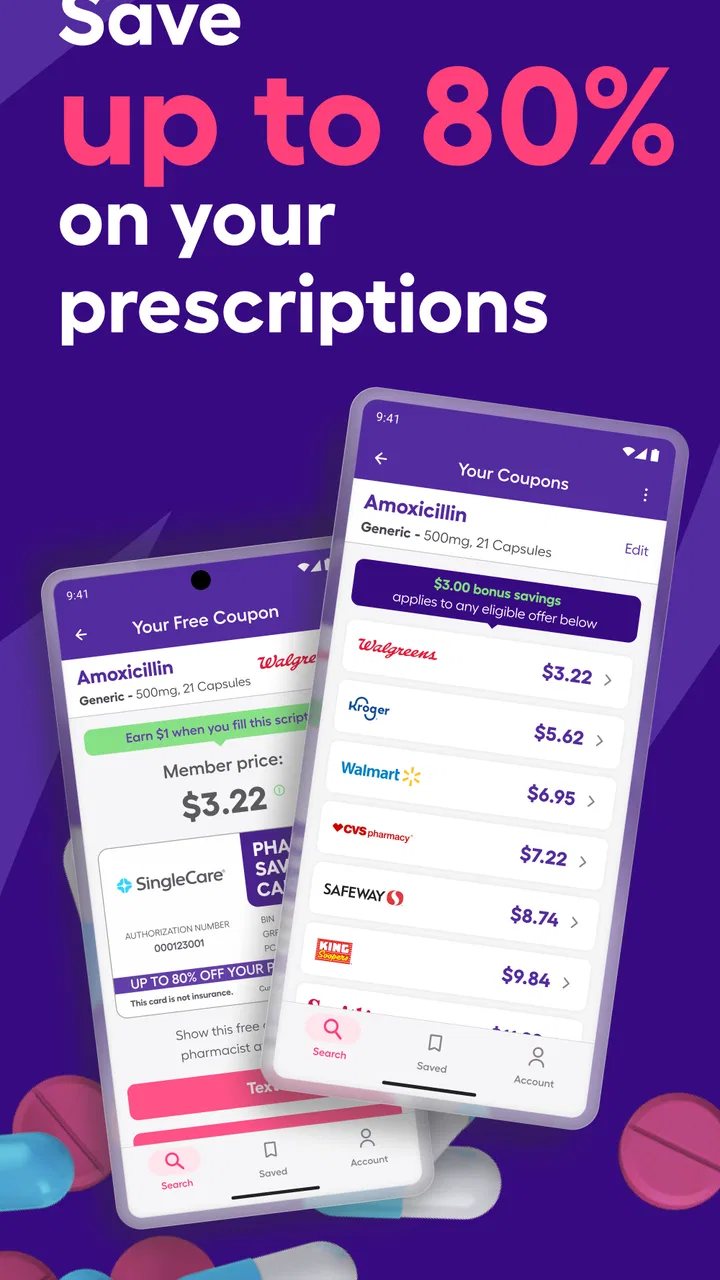
Prescription costs can turn a simple pharmacy visit into a frustrating comparison exercise. I reviewed SingleCare - Rx Coupons as a medical app built around that exact problem, and my impression is that it is most useful when you treat it as a price-checking tool rather than a replacement for your insurance, pharmacist, or doctor. It is free, aimed at Everyone, and developed by RxSense. In everyday use, the main appeal is straightforward: check whether a coupon may reduce the amount you pay for a prescription, then show the relevant offer at the pharmacy.
The important distinction is that a coupon price is not automatically the best price for every person. Your insurance arrangement, deductible, pharmacy, medication, and local availability can all affect the final decision. I found the app more valuable when I used it to create a second option before paying, not when I assumed the first displayed result had to be the right one.
Where the experience usually gets stuck
The first obstacle is often not the coupon itself but the information entered into the search. A medication can have several forms, strengths, and quantities, and choosing the wrong one can make a comparison misleading. If the prescription is for a particular tablet strength or a specific quantity, those details need to match what the prescriber wrote. A result for a different form of the medicine is not a useful bargain, even if the displayed amount looks attractive.
You May Also Like

 Blood Strike: 2.5 Anniversary
Blood Strike’s Loadouts Turn Every Drop Into a Tactical Gamble
A close look at Blood Strike’s custom loadouts: how fast access to signature weapons reshapes its battle royale rhythm, rewards preparation, and narrows the gap between fights.

 Pandora - Music & Podcasts
Pandora’s Music Is Easy to Start, but Harder to Recover
Pandora’s strength is its low-effort path from a seed to a station. Its weak spot is how much confidence it asks you to place in connection, setup, and quiet recovery.

 8 Ball Pool
 Is Built on Rivalries, Rematches, and Routine
A close look at the rivalries, rematches, shared routines, and unanswered safety questions that turn a quick pool match into a persistent mobile community.

 Samsung Music
’s Quiet Strength Is Playing What You Already Own
Its reach comes less from spectacle than from dependable access to a personal library. That simplicity is both the app’s strongest retention engine and its ceiling.

 AccuWeather: Weather Radar
AccuWeather Review: A Quick, Clear Forecast for Everyday Decisions
For everyday plans, the best forecast is the one you can understand quickly. AccuWeather makes rain timing, radar, and local conditions easy to act on, with a few trade-offs.

 Hill Climb Racing
Why Hill Climb Racing Still Turns Crashes Into One More Run
A tiny car, a bumpy hill and one more upgrade: Hill Climb Racing keeps resurfacing because its simple chaos makes every near-miss feel personal.
More From Our News Desk



I also found that users can approach the app with the wrong expectation. SingleCare does not make a prescription free by magic, and a coupon is not an instruction to change treatment. The app is best used after you already know the exact medication and dosage prescribed. It helps you investigate the payment side of the purchase; it does not decide whether the medicine is appropriate.
Another point of friction is the difference between seeing an offer and successfully using it. A coupon screen may look ready to present, but the pharmacy still has to process the prescription under the applicable discount arrangement. I would open the offer before reaching the counter, check that the medication details look right, and keep the phone available while speaking with the pharmacy staff. That small preparation avoids searching through the app while other customers are waiting.
There is also a practical trade-off between speed and careful comparison. If you are collecting a prescription during a busy day, it is tempting to accept the first option. For a recurring medication, however, a little extra checking can be worthwhile. I would compare the coupon amount with the price the pharmacy gives you through insurance and ask which route is lower for that specific fill. A coupon may be useful for one prescription while insurance is better for another.
The app’s popularity suggests that this workflow is familiar to many people: it holds an average rating of 4.6 from around 9.9 thousand ratings, and it has passed one million installs. Those figures do not guarantee that every search or pharmacy visit will be smooth, but they do indicate that SingleCare is not an obscure experiment with no established audience.
Why a result may not match the amount at the counter
Pricing is the area where I would keep expectations most realistic. A displayed coupon amount can depend on the exact prescription details and the participating pharmacy process. If the pharmacy enters a different quantity, product form, or prescription detail, the result may change. That is why I would not screenshot a price and treat it as a promise; I would use it as a reference to discuss with the pharmacist.
Insurance creates another important complication. In many cases, you may be comparing two separate payment routes rather than combining them. A coupon can be an alternative to using insurance, not an extra reduction stacked on top of it. The sensible approach is to ask the pharmacy to compare the available options and then choose the lower legitimate price for that prescription.
This matters especially for people with deductibles or high out-of-pocket costs. A lower immediate payment is appealing, but some users may prefer a purchase to count toward their insurance plan’s deductible or spending record. SingleCare cannot resolve that personal financial choice for you. I see the app as a way to expose another price, while the user decides whether immediate savings or insurance tracking matters more.
Setup checks that prevent avoidable problems
Before searching, I would have the prescription label or the information from the doctor’s office nearby. Confirm the medication name, strength, form, and quantity. This is one of the most useful habits with SingleCare because it prevents a common mistake: selecting a similar-looking result that is not the same prescription. The app can help with cost comparison, but it cannot correct an inaccurate search.
It is also worth checking the pharmacy location carefully. A price associated with one pharmacy may not be the price you receive at another. If you normally use a particular branch, search with that location in mind rather than assuming every nearby store will process the coupon identically. If you are willing to change pharmacies, consider the practical cost of doing so, including travel, opening hours, and whether the pharmacy can fill the prescription when you need it.
When the offer is ready, I would review the medication details once more before leaving the app. This second check is easy to skip, especially when the result looks familiar. It is particularly important for maintenance prescriptions, where a small mismatch can lead to an unhelpful conversation at the counter and a wasted trip.
SingleCare is free to install and use, which makes this setup experiment low-risk from a budget perspective. The app’s current version is 7.0.4, and it supports devices running Android 7.0 or later. That Android requirement is useful to check before troubleshooting anything else. If the device is older than that software baseline, an installation or update problem may be a compatibility issue rather than a fault in the coupon search.
I would also make sure the app itself is current through the normal app store process. If a screen behaves unexpectedly, restarting the app after an update and trying the search again is a reasonable first step. I would avoid assuming that reinstalling will solve a pricing discrepancy, though. Reinstallation may refresh the application, but it cannot change the prescription details or the pharmacy’s processing decision.
A simple preparation routine for a first search
Keep the prescription information visible and identify the exact medicine form, strength, and quantity.
Choose the pharmacy you actually plan to visit, rather than treating a nearby result as interchangeable.
Review the coupon details before heading out and keep the phone charged enough to display the offer.
At the pharmacy, ask for a comparison between the coupon route and your insurance price when both are relevant.
Before paying, confirm that the final amount applies to the same prescription you searched.
This routine may sound cautious, but it reflects the app’s real role. SingleCare removes some of the work from price hunting; it does not remove the need to verify the transaction.
Recovering when the normal workflow breaks
If a search produces an unexpected result, I would start by checking the prescription details rather than immediately blaming the app. Search again using the exact form and quantity, then confirm the selected pharmacy. A surprisingly high amount can come from a mismatch in the search, a different pharmacy option, or the pharmacy processing the prescription through another payment route.
If the coupon cannot be presented smoothly, close and reopen the app, return to the medication search, and generate the offer again. I would also check whether the phone can load other online content, because a general connection problem can make a coupon screen appear incomplete or fail to refresh. Moving from a weak mobile connection to a reliable Wi-Fi network, or the reverse, can help identify whether the issue is local to the connection.
When the pharmacy says the coupon is not working, stay focused on the exact prescription rather than arguing about the displayed amount. Ask the staff to verify the medication, quantity, and coupon details they received. If the result still differs, ask what price would apply through insurance and whether the coupon is being treated as an alternative payment method. The pharmacist is in a better position than the app to explain what the register is accepting at that moment.
One useful recovery habit is to avoid deleting the app in the middle of a pharmacy visit. If you have already found the offer, removing the application can add unnecessary steps and may leave you without the screen you intended to show. I would first try reopening it, checking the search details, and asking the pharmacy to retry the transaction. Reinstalling is more appropriate later, when you are not under time pressure and can repeat the setup carefully.
For a prescription you refill regularly, write down your own successful workflow: the exact medication description, the pharmacy branch, and whether the coupon or insurance was cheaper. I am not suggesting that the price will remain unchanged, but this record makes the next comparison faster and helps you notice when a result is unexpectedly different. It turns the app from a one-time search into a more organized part of your refill routine.
What to do when the app appears to be working correctly
Sometimes the application is not malfunctioning at all. It may be showing an offer correctly while the pharmacy has different information, a different product in stock, or a different way of processing the prescription. In that situation, repeatedly refreshing the same screen is unlikely to solve the underlying issue.
I would separate the problem into three questions: did I search for the exact prescription, did I choose the correct pharmacy, and can that pharmacy process the coupon for this fill? The first two are things I can check in the app. The third belongs to the pharmacy workflow. Keeping those questions separate prevents a lot of unproductive troubleshooting.
It is also possible that the lower coupon amount is not the best overall choice for your circumstances. If using insurance contributes toward a deductible or another plan goal, the apparently cheaper route may not be preferable over time. Conversely, if the insurance price is unexpectedly high, SingleCare gives you a practical alternative to investigate. The right answer depends on the person and the prescription, not simply on which number looks smaller at first glance.
When another option may suit you better
SingleCare is a strong fit for someone who pays significant out-of-pocket prescription costs, wants a quick comparison before visiting a pharmacy, or does not have a convenient insurance price. It is also useful for families managing several prescriptions, because checking each medication separately can reveal that different payment routes make sense for different fills.
I would be more cautious recommending it as the sole tool for someone whose priority is insurance record-keeping rather than immediate price reduction. In that case, the insurer’s own pharmacy portal or a direct conversation with the plan may be more appropriate. Those tools are designed around coverage details, while SingleCare is centered on finding a coupon-based payment option.
People who need extensive medication management should also look elsewhere for their main solution. This is not the app I would choose as a substitute for a medication reminder, a doctor’s treatment plan, or a pharmacist’s counseling. Its value is narrower and clearer: it helps investigate what you might pay at the pharmacy.
Compared with simply asking the pharmacy for its cash price, the app gives you a more deliberate way to search before arriving. Compared with relying only on insurance, it introduces another route that may be cheaper for a particular purchase. The trade-off is that the user has to verify details and understand that a coupon price is not the same thing as coverage. I prefer that transparency to treating any single pricing method as universally best.
Privacy-conscious users may want to think about the information they are comfortable entering into any medical-related application and review the app’s current permissions and privacy details before use. I would not enter information casually, and I would keep the search limited to what is necessary for the prescription comparison. That is a sensible habit with any health or medication service, not just this one.
My practical verdict after using it
My overall view is positive, with a clear boundary: SingleCare is worth keeping as a free backup for prescription price checks, but I would not use it without confirming the exact medication and comparing the result with insurance. Its strongest feature is the change in habit it encourages. Instead of accepting the first price presented at the counter, you can arrive with another option already investigated.
The app comes from RxSense and has been available since April 20, 2016, which gives it a longer presence than a brand-new coupon experiment. Its Everyone age rating also makes it broadly approachable for households, although the medical decision itself should still involve a qualified professional when questions about treatment arise.
The most realistic scenario is a refill that suddenly costs more than expected. I would open the app before leaving home, search using the label’s exact details, check the selected pharmacy, and then ask the pharmacist to compare the coupon amount with the insurance price. If the coupon is accepted and is genuinely lower for my situation, it can save money. If not, I have still learned that the problem may be related to coverage, stock, or pharmacy processing rather than a missing feature in the app.
That is why I recommend it selectively. Use it when price flexibility matters, when you are willing to verify details, and when you understand that the final decision belongs to you and the pharmacy. Skip it if you expect automatic savings with no comparison, need full medication management, or care more about insurance tracking than the immediate cost of one fill.
My bottom line: keep SingleCare available as a practical second opinion on prescription prices, not as a guarantee. Used with the right checks, it can make an otherwise opaque pharmacy purchase easier to question and compare. Its limitations are manageable, but only if you treat the coupon as one payment option in a larger decision.
FAQs for SingleCare - Rx Coupons
01What is SingleCare and how does it work?
SingleCare is a free app that helps users save money on prescription medications. It offers coupons that can be used at participating pharmacies to reduce the cost of medications. Users simply search for their medication within the app, find available discounts, and present the coupon at checkout to receive the savings.
02Do I need insurance to use SingleCare?
No, SingleCare does not require insurance to use. It operates independently from health insurance plans and can be used by anyone looking to lower their prescription costs. In some cases, SingleCare discounts may even be cheaper than copays, making it beneficial for those with or without insurance.
03Is SingleCare available for both Android and iOS devices?
Yes, SingleCare is available for download on both Android and iOS devices. Users can find the app in the Google Play Store for Android devices and the Apple App Store for iOS devices, allowing easy access for a wide range of smartphone users.
04Are there any fees associated with using SingleCare?
SingleCare is completely free to use. There are no membership fees, subscription charges, or hidden costs. Users can access and use the app to find prescription discounts without any financial commitment, making it an attractive option for cost-conscious individuals.
05Can I use SingleCare at any pharmacy?
SingleCare is accepted at over 35,000 pharmacies nationwide, including major chains like CVS, Walgreens, and Walmart. However, availability may vary, so it's recommended to check the app for participating locations near you to ensure that your preferred pharmacy accepts SingleCare coupons.
Pros
- Easy to use interface for quick navigation
- Works with most pharmacies nationwide
- No membership fees required
- Significant savings on prescriptions
- Helps compare drug prices easily
Cons
- Some discounts may vary by location
- Requires internet for price lookup
- Doesn't cover all medications
- Limited support for insurance claims
- Occasional app performance issues

SingleCare - Rx Coupons
Gallery